Have you ever typed a question into an AI like ChatGPT or Gemini, only to get a response that felt robotic, generic, or just slightly off-target? You are not alone — and it is not the AI's fault. It is a communication problem, and it has a very simple fix.
Most people treat AI like a Google search — throwing in a few keywords and hoping for the best. But AI is not a search engine. Think of it as a tireless, brilliant intern sitting at a desk, ready to do exactly what you ask. The problem is that interns need clear instructions. Without them, they guess. And when AI guesses, you get mediocre output.
This is where prompt engineering comes in — and before that phrase sends you running, here is the most important thing to know: you do not need to write a single line of code to master it. You just need a framework. In this guide, we are going to break down the RCTFC Framework — a simple, human-centric method for getting exactly what you want from AI, every single time.
1. What Exactly Is Prompt Engineering?
At its heart, prompt engineering is the art of communication. If you have ever managed a team, briefed a designer, or explained a recipe to a friend who has never cooked before — you already have every foundational skill you need. It is about being specific, providing context, and setting expectations before the work begins.
The difference between someone who gets great results from AI and someone who gives up after three frustrating attempts is almost never about technical knowledge. It is about knowing how to structure the request. Prompt engineering moves you from "vague guesses" to "predictable, high-quality results" — and the RCTFC Framework is the system that gets you there.
The average person interacts with AI the way they interact with a search engine: short, keyword-heavy queries with no context. AI language models are built for depth and nuance. The more direction you give, the better the output. Treating AI like a search bar is like hiring a consultant and then refusing to brief them on the project.
2. Breaking Down the RCTFC Framework
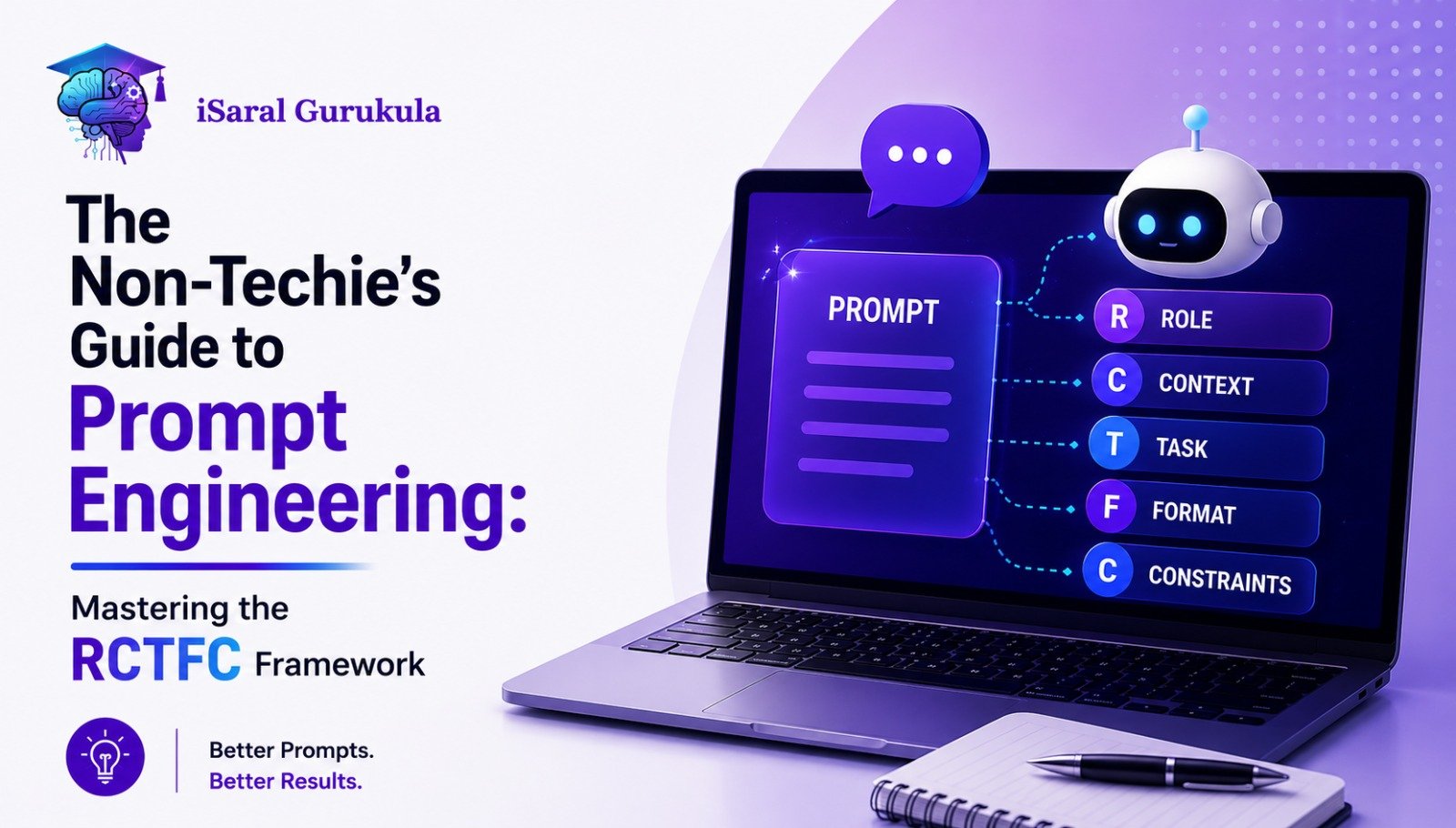
RCTFC stands for Role, Context, Task, Format, and Constraints. Think of these as the five ingredients in a perfect AI recipe. Each one does a specific job. Skip one and the output suffers. Include all five and you consistently get results that feel like they were written by a human expert — because you have given the AI exactly what it needs to act like one.
3. R Is for Role — The "Who"
AI models are remarkably flexible. They can behave like a Harvard professor, a seasoned marketing director, a patient teacher explaining things to a ten-year-old, or a blunt startup founder who values speed over polish. If you do not assign a role, the AI defaults to "generic helpful assistant" — which leads to generic, forgettable responses.
Assigning a Role tells the AI which part of its vast knowledge base to prioritise. A prompt that begins "Act as a senior financial advisor with 20 years of experience helping middle-class Indian families" activates a completely different depth of response than one that simply asks "tell me how to save money."
4. C Is for Context — The "Why and Where"
Context is the background information the AI needs to understand your specific situation rather than a hypothetical one. Without context, the AI is filling in blanks with assumptions — and those assumptions are rarely aligned with what you actually need.
- Who is the audience? — Grade schoolers, CEOs, first-time business owners, working mothers?
- What is the goal? — Educate, persuade, entertain, summarise, sell?
- What is the current situation? — What problem are you solving right now?
- What does the audience already know? — This shapes the complexity and vocabulary of the response.
Example: "I am writing a blog post for small business owners in Bangalore who are curious about AI but feel intimidated by the technical language. They are non-technical, time-poor, and skeptical that AI tools are actually useful for their day-to-day work."
5. T Is for Task — The "What"
The Task component is the heart of your prompt. This is where you tell the AI exactly what you want it to do. The most common mistake here is being vague — using words like "help me with" or "write something about" rather than giving a precise action with a clear deliverable.
Use strong, direct action verbs: Write, Summarise, Analyse, Brainstorm, Compare, Rewrite, Create, Extract, Translate. The more precisely you name the action, the less room there is for the AI to interpret your request in an unexpected direction.
Saying "write something about productivity" could produce a motivational quote, a 3,000-word essay, a list of apps, or a philosophical reflection on the nature of work. Saying "Write a 600-word blog introduction for working professionals that explains why morning routines fail and what to do instead" produces exactly what you need on the first attempt.
Why Learn With iSaral?
India's most practical AI course — built for working professionals who want real results fast.
No Coding Required
Designed for marketing, sales, finance, HR, and business professionals
Hands-On Projects
Build real AI workflows and prompt systems you can use at work from day one
Expert Mentors
Learn from practitioners who use AI in real businesses daily
Recognised Certificate
Add a credential that signals AI readiness to every recruiter and client
6. F Is for Format — The "How It Looks"
If you do not specify a format, the AI will choose one for you — and it may not be the one you want. A response that arrives as one long, unbroken paragraph when you needed a bullet-point checklist is technically correct but practically useless. Format is not a cosmetic detail; it directly determines how useful the output is.
- Bullet points or numbered lists — ideal for steps, features, or comparisons
- H2 and H3 headers — essential for long-form blog content and scannable articles
- Tables — perfect for side-by-side comparisons or structured data
- Word or character count — "keep it under 600 words" or "write exactly 3 paragraphs"
- Tone specification — conversational, formal, persuasive, empathetic, direct
A professional tip worth committing to memory: always ask for "scannable content" when writing for the web. Research consistently shows that people online skim before they read. If your output has no headers, no breaks, and no visual hierarchy, even excellent content will be abandoned before it is finished.
7. C Is for Constraints — The "Rules"
Constraints are the guardrails of your prompt. They are the instructions that tell the AI what not to do, which is just as important as telling it what to do. Without constraints, AI tends to pad responses, over-explain, use jargon, make up statistics, or wander off-topic — all of which adds time to your editing process and reduces the quality of the final output.
- "Keep it under 800 words"
- "Avoid passive voice"
- "Do not mention competitor names"
- "Use a warm, encouraging tone — not formal or corporate"
- "Do not include statistics unless you are certain they are accurate"
- "Write in British English"
- "Do not use the word 'delve' or 'leverage'"
That last constraint might make you smile — but it is genuinely useful. AI models have certain words and phrases they reach for repeatedly. Knowing which ones to exclude helps you produce output that sounds less like a machine and more like a person.
8. Putting It All Together: A Master Prompt
Theory only becomes useful when you see it applied to a real scenario. Here is the RCTFC Framework assembled into a single complete prompt — the kind that produces a high-quality, ready-to-use first draft rather than a vague outline you still have to entirely rewrite.
Notice what this prompt does: it removes every ambiguity. The AI knows who it is, who it is writing for, what to produce, how to structure it, and what to avoid. The result is a piece that needs minimal editing rather than a rough draft that requires a complete rewrite.
9. How to Humanise AI Content
Even a well-structured prompt using the RCTFC Framework can produce output that feels slightly flat or templated. This is because AI lacks the one thing that makes writing truly engaging — lived experience. Here is how to add the human layer back in after the AI has done the structural heavy lifting.
Add Personal Anecdotes
AI does not have a life. You do. If you are writing about productivity, mention the specific Tuesday when your power cut out and you realised your entire workflow depended on one app you had never considered replacing. Real specificity is what separates writing people remember from writing they scroll past.
Vary Your Sentence Length
AI tends to write in sentences of roughly similar length, which creates a hypnotic, monotonous rhythm after a few paragraphs. Break it deliberately. Short sentences punch. Longer, more flowing sentences create space for the reader to settle into a more complex idea and absorb it fully before moving on.
Give the AI a Voice, Not Just a Role
Instead of "Act as a marketing consultant," try "Write with the warmth of a mentor who genuinely wants you to succeed, combined with the directness of someone who respects your time too much to pad their advice." Voice instructions produce far more distinctive, readable output than title-based roles alone.
10. SEO Best Practices for Prompt-Engineered Content
If you are using the RCTFC Framework to produce content for the web, search visibility should be part of your process from the very first prompt. AI can handle structure and volume, but ranking on Google requires a few additional inputs that the AI cannot entirely manage on its own.
| SEO Factor | What AI Can Do | What You Must Add Manually |
|---|---|---|
| Keyword Placement | Weave keywords naturally into structure | Confirm keyword appears in first 100 words and meta description |
| External Links | May suggest outdated or incorrect URLs | Manually verify and add links to high-authority sources |
| Readability | Can write to a specified reading level | Run through Hemingway or Grammarly to catch structural issues |
| E-E-A-T Signals | Cannot provide genuine personal experience | Add your own real insights, case studies, and expert opinions |
| Fact Checking | Can hallucinate statistics and dates | Verify every specific claim independently before publishing |
11. Common Mistakes to Avoid
Even with the RCTFC Framework in hand, there are a few traps that even experienced users fall into regularly. Knowing what they are ahead of time saves you frustration and editing time.
Asking for a long piece without specifying "use H2 and H3 subheadings throughout" almost always produces an unbroken block of text. Always include Format instructions for anything over 300 words.
Telling AI to "make it good" or "make it engaging" produces no meaningful change in output. Instead, say "use vivid sensory details," "open each section with a question the reader is already asking," or "use concrete examples rather than abstract principles." Specificity is the difference between a prompt that works and one that wastes your time.
AI can and does "hallucinate" — a polite term for confidently stating things that are not true. Fabricated statistics, incorrect dates, misattributed quotes, and non-existent studies are all possible in any AI output. Every specific claim, especially any number or proper name, should be independently verified before publication.
Conclusion
Prompt engineering is not a technical skill. It is a communication skill — and like any communication skill, it improves rapidly with a clear framework and consistent practice. The RCTFC Framework gives you a repeatable structure that removes the guesswork from every AI interaction: Role sets the persona, Context sets the scene, Task defines the deliverable, Format shapes the output, and Constraints keep it focused and on-brand.
The professionals who will get the most value from AI over the next decade are not necessarily the ones with the most technical knowledge. They are the ones who have learned how to direct AI with precision, interrogate its outputs critically, and add the human layer that no model can replicate. That combination — structured prompting plus human judgement — is the real skill worth building.
You do not need a computer science degree to master the future. You just need to know how to ask the right questions. Role. Context. Task. Format. Constraints. Now you do.